
How-to
How to put 4 videos on one screen: a video collage on your phone
Make a split-screen or 2×2 video grid on iPhone or Android: 2 to 4 clips playing at once, photos and videos mixed, exported as one video.
By Ahmet KütükPublished 4 min read
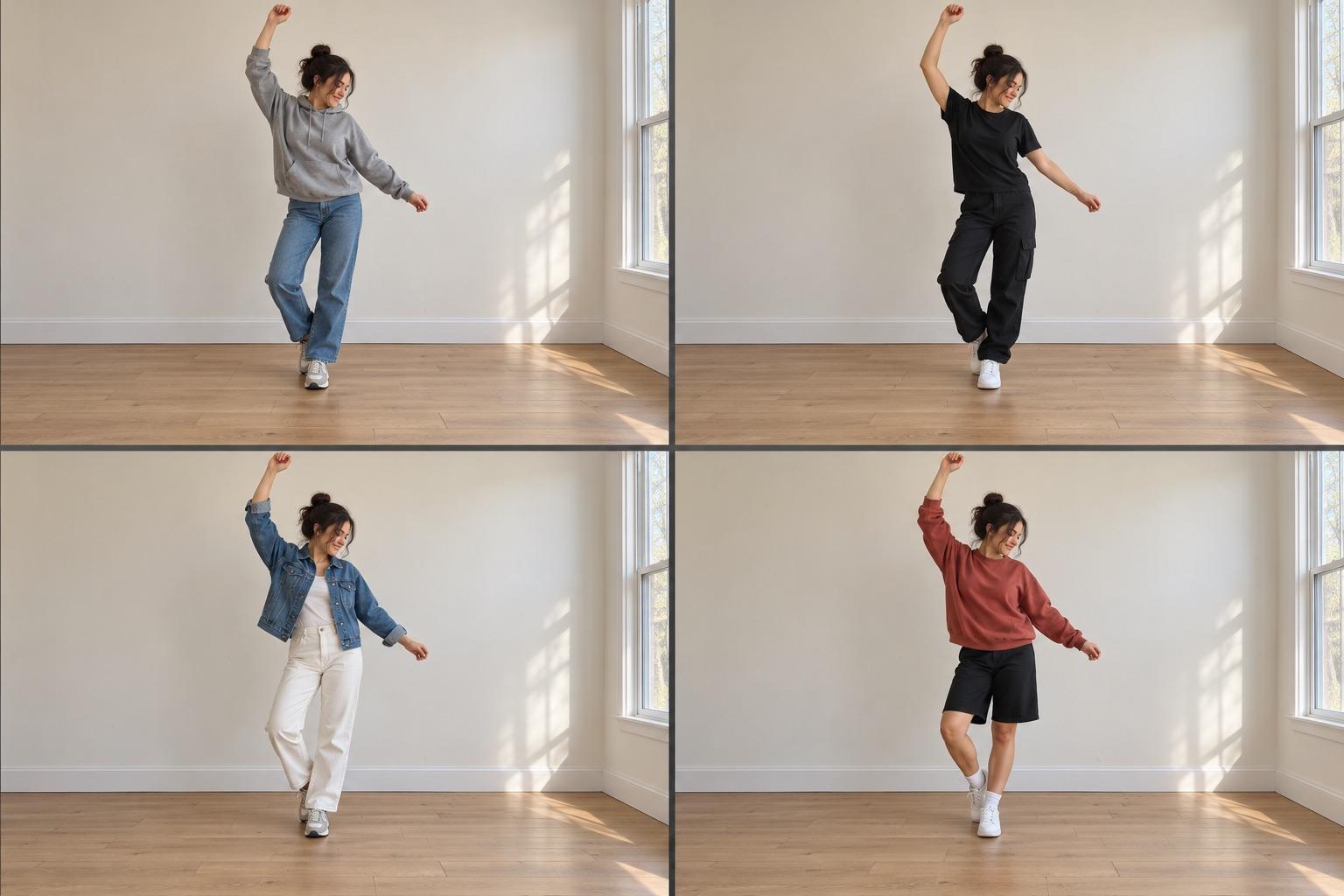
To put several videos on one screen, make a split-screen or grid video: choose 2 to 4 clips, pick a layout (two side by side or a 2×2 grid), pick the aspect ratio (9:16 for TikTok and Reels, 1:1 for the feed) and export it as one video. In MatchFrame you select the clips in a project's export screen and choose Grid. Photos can go in a cell too.
A video collage plays several clips at once, each in its own part of the screen. It's the quickest way to show a comparison that moves: before next to after, four outfits, four days of progress, the original dance next to yours.
What a video grid is good for
- Before and after in motion: a room, a hairstyle or a recipe, playing side by side.
- Progress over time: day 1, 30, 60 and 90 in a 2×2 grid.
- Variations: four outfits, four locations, four product angles.
- Dance and challenges: your takes in sync, or the original next to your version.
Grid or merge?
| Grid / split-screen | Merge | |
|---|---|---|
| Clips play | At the same time | One after another |
| Each clip gets | Part of the screen | The full screen |
| Best for | Comparisons | Transitions and stories |
| Sound in MatchFrame | None, add it when you post | Kept |
How to make a video grid in MatchFrame
- Shoot the clips in one project. The ghost overlay shows the previous shot while you film, so every clip has the same distance and angle and the cells line up.
- Open the export screen and select 2 to 4 shots in the order you want them. Videos and photos can be mixed, for example three clips and one photo.
- Choose the layout: side by side for two, grid for three or four.
- Pick the format: 9:16, 1:1, 4:3, 16:9 or the camera's original ratio.
- Pick the quality. SD and HD are free; Full HD, 2K and 4K come with Pro.
- Export, then save to your gallery or share.
A few things to know: photos stay still in their cell while the clips play, shorter clips loop until the longest one ends, and the grid video has no sound, so you add music on TikTok or Instagram. The export layouts page lists every format.
Making the cells match
A grid puts clips right next to each other, so any difference in framing is obvious: one person looks bigger, one horizon is higher, one room is lit from the other side. Before you record each clip:
- Keep the phone at the same height and distance.
- Use the same lens (don't mix 0.5× and 1×).
- Shoot in similar light, ideally at the same time of day.
- Line up with the previous clip as a ghost, not from memory.
Take your reference shot today.
Free on iPhone and Android. No account needed.
Doing it in a video editor
General editors like CapCut can also put several videos on one screen. You add the first clip to the timeline, add the others as overlay layers, then shrink and place each one in its corner by hand. It works well for one-off edits, but you redo the layout every time, and the clips only match if they were filmed the same way.
Which format for which app
| Where | Format |
|---|---|
| TikTok, Reels, Shorts, Stories | 9:16 |
| Instagram or Facebook feed | 1:1 |
| YouTube, websites | 16:9 |
For still images in the same layouts, see before and after formats, and for dance videos specifically, how to make a dance video.