
Creators
How to make a dance video for TikTok with just your phone
Film a TikTok dance video on your own: phone setup, short takes, dance transitions that land on the cut, and several takes on one screen.
By Ahmet KütükPublished 5 min read
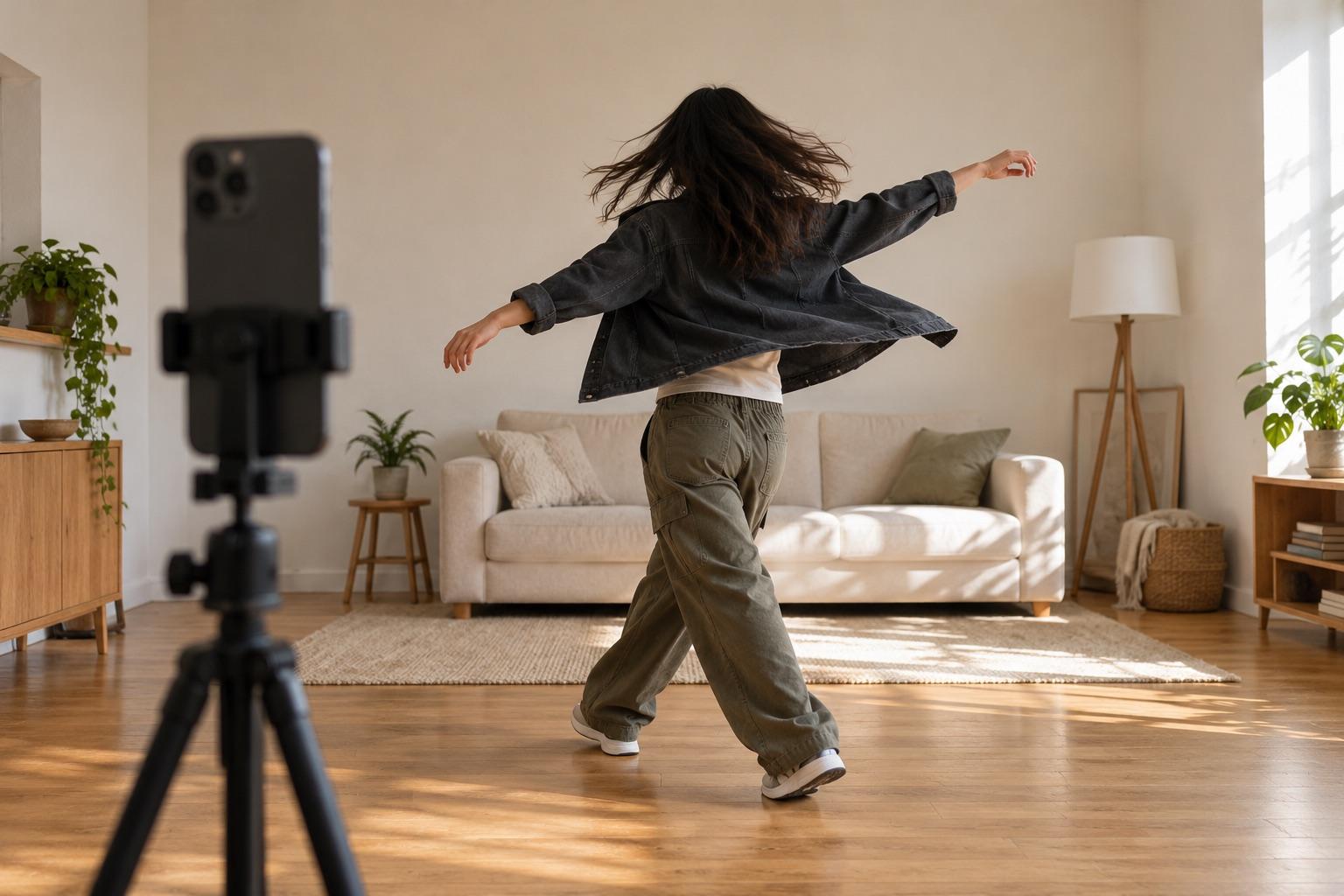
To make a dance video with just your phone, stand the phone up vertically at waist to chest height, frame yourself head to toe and film in short takes with a timer. End each take on a clear pose and start the next one in the same pose, so the cuts land. Merge the takes, or show several at once in a split-screen grid, and add the song when you post.
Most TikTok dance videos aren't filmed in one take. They're short pieces: a few counts in one outfit, a few in another, the hard part filmed again until it works. That's fine, as long as the camera and your position stay the same between takes. When they don't, the edit jumps and you seem to grow or shrink between cuts.
Set up the phone
- Vertical and fixed. Use a stand, a shelf or a stack of books. A phone held by a friend moves too much for transitions.
- Waist to chest height, pointing straight at you, not tilted up or down.
- Head to toe in frame, with room above your head for jumps and arm moves and some space at the sides.
- One lens. If you need the 0.5× lens to fit, use it for every take.
- Face the light. A window or lamp in front of you; light behind you turns you into a silhouette.
- Mind the buttons. TikTok puts its buttons on the right and the caption at the bottom. Keep your hands and feet clear of those edges.
Film in short takes
- Play the song from another device so you can hear the beat while the phone records.
- Use a timer. Three seconds is enough to step back into place.
- Film one section per take, for example eight counts.
- End every take on a pose and hold it for a beat. That pose is where the next take starts.
- Keep the best take of each section and delete the rest, so the merge stays simple.
Dance transitions that land on the cut
A transition hides the cut inside a movement. Whatever changes between takes (outfit, location, people), the movement and your position carry over.
| Move | Where to cut | Tip |
|---|---|---|
| Spin | When your back faces the camera | Spin the same direction in both takes |
| Drop | At the lowest point | Land in the same spot |
| Jump | At the top of the jump | Take off from the same mark |
| Hand over lens | While the screen is dark | Move your hand at the same speed |
| Freeze | On the held pose | Match arms and head exactly |
The hard part is starting the next take in exactly the same place. A ghost overlay shows the last frame of the previous clip over the live camera, so you line up your feet, shoulders and arms before you record. In MatchFrame, the Dance project does this by default: Clip mode, a 3-second timer, the Reels grid and a safe-area guide are already set.
Put several takes on one screen
Not every dance video is a sequence. Some of the most shared formats play takes at the same time:
- Day 1 next to day 30 of learning a routine.
- Four outfits or four locations dancing the same part in sync.
- The original next to your version for a challenge.
- Three takes and a still of the final pose in a 2×2 grid.
These only look good when every cell is framed the same way, which is again what the ghost overlay is for. MatchFrame's export screen puts 2 to 4 clips, or clips and photos, into a split-screen or grid video. For layouts, sizes and other ways to do it, see how to put 4 videos on one screen.
Take your reference shot today.
Free on iPhone and Android. No account needed.
Add the music last
- Use the platform's sound. Adding the song in TikTok or Instagram links your video to the trend; a song baked into the file doesn't.
- Merged takes keep the sound you recorded. Turn the original sound down in TikTok or Instagram when you add the song.
- Split-screen and grid videos export silent in MatchFrame, so there's nothing to turn down.
- Trim the start so your first move lands on a clear beat.
For more transition formats, see transition video ideas for Reels and TikTok and how to film outfit transitions.