
A before and after camera for room makeovers
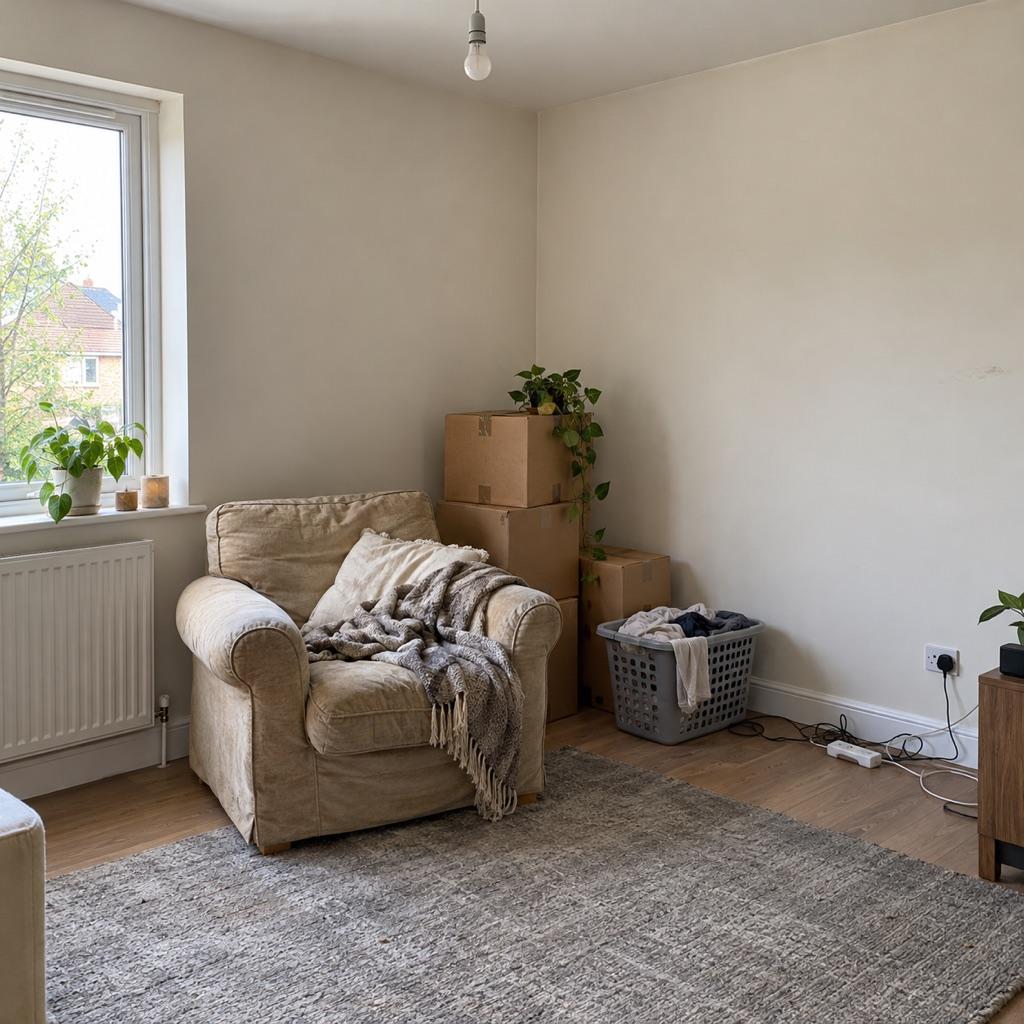
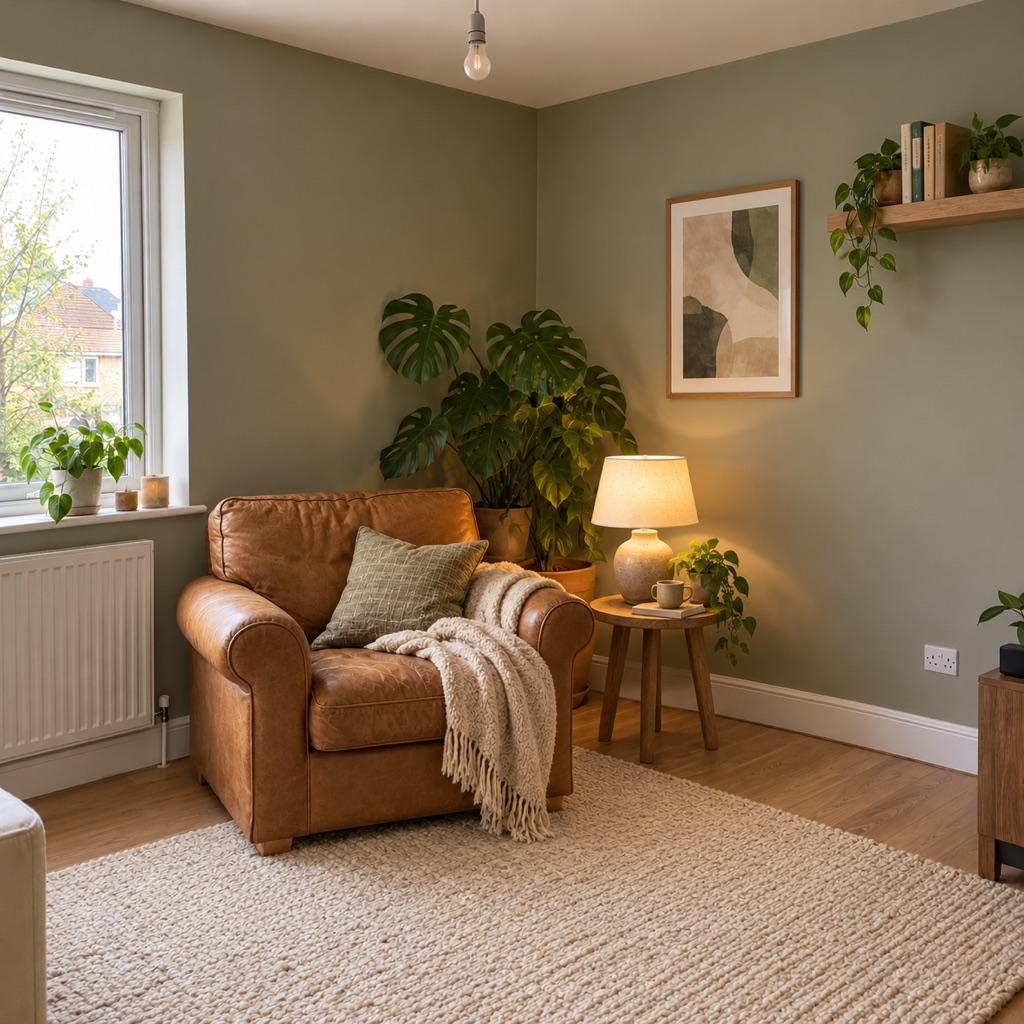
A room makeover before and after is most convincing when both photos are taken from the same corner, height and lens. MatchFrame shows your before photo as a ghost over the camera, so the walls, window and floor line up in the after shot and the change in the room is the only thing that moves.
Why these shots usually don't line up
After a renovation the room looks different, so it's hard to remember where you stood. Phone wide lenses also exaggerate small changes in position: stand a little closer and the room looks smaller, aim a little higher and the walls lean. The before and after end up looking like two different rooms.
How to shoot it with MatchFrame
- 1
Shoot the before from a corner
Stand in a doorway or corner and include fixed points like windows, doors and the ceiling line.
- 2
Note the spot
Add a note like “doorway, phone at shoulder height” so you can find it again.
- 3
Line up the after with the ghost
Match the window frame and floor edges to the overlay, then shoot.
- 4
Export a reveal
Use a slider export (Pro) or a 9:16 side by side for a reveal post.
Tips
- Keep the zoom at the same lens; don't switch between 0.5× and 1× between shots.
- Shoot both photos at the same time of day so daylight falls the same way.
- Turn on the same lamps in both shots, or none at all.
- Take a few angles; the one that lines up best usually makes the best post.
Export it
Reels reveals work well as a 9:16 slideshow; for a feed post, use a 4:5 side by side.
Export layoutsQuestions
Can I use a before photo I took months ago?
Yes. Import it as the reference image and use it as the ghost overlay for your after shot.
Does it work for whole-house renovation projects?
Make one project per room or angle. Each project keeps its own timeline, so you can show progress through the build too.
Features used
- Ghost overlay cameraMatchFrame shows your last photo or clip as a ghost on the live camera, so each shot matches its angle, distance and pose. Free on iPhone and Android.
- Before/after compareCompare any two shots in a MatchFrame project with a slider or side by side. They were aligned with the ghost overlay, so the difference you see is real.
- Export layoutsTurn aligned shots into a ready-to-post before/after: side by side, slideshow, GIF or grid, in 9:16, 4:5, 1:1 or 16:9, with labels, dates and your own text.
Other use cases
- Fitness progress photosTake gym and weight-loss progress pictures from the same spot, height and pose every time. Last week's photo as a ghost overlay replaces tape on the floor.
- Skincare before and afterSmall skin changes only show when light, angle and distance match. Use your last close-up as a ghost overlay to document a routine consistently.
- Hair growth progress photosTrack hairline, crown or length with photos taken from the same angle and distance. A ghost overlay of the last photo keeps every session comparable.
- Outfit transition videosFilm outfit changes for TikTok and Reels with the last clip as a ghost overlay, so your pose, position and framing match at the cut. Merge clips in the app.
- Dance videos for TikTokFilm TikTok dance videos and transitions on one phone: the last clip's end pose as a ghost overlay. Merge your takes or play 4 at once in a grid video.
- Consistent product photosKeep the same angle, distance and position across a catalog, a listing refresh or a before/after, using a reference shot as a ghost overlay on your phone.
Take your reference shot today.
Free on iPhone and Android. No account needed.