
Consistent product photos with your phone
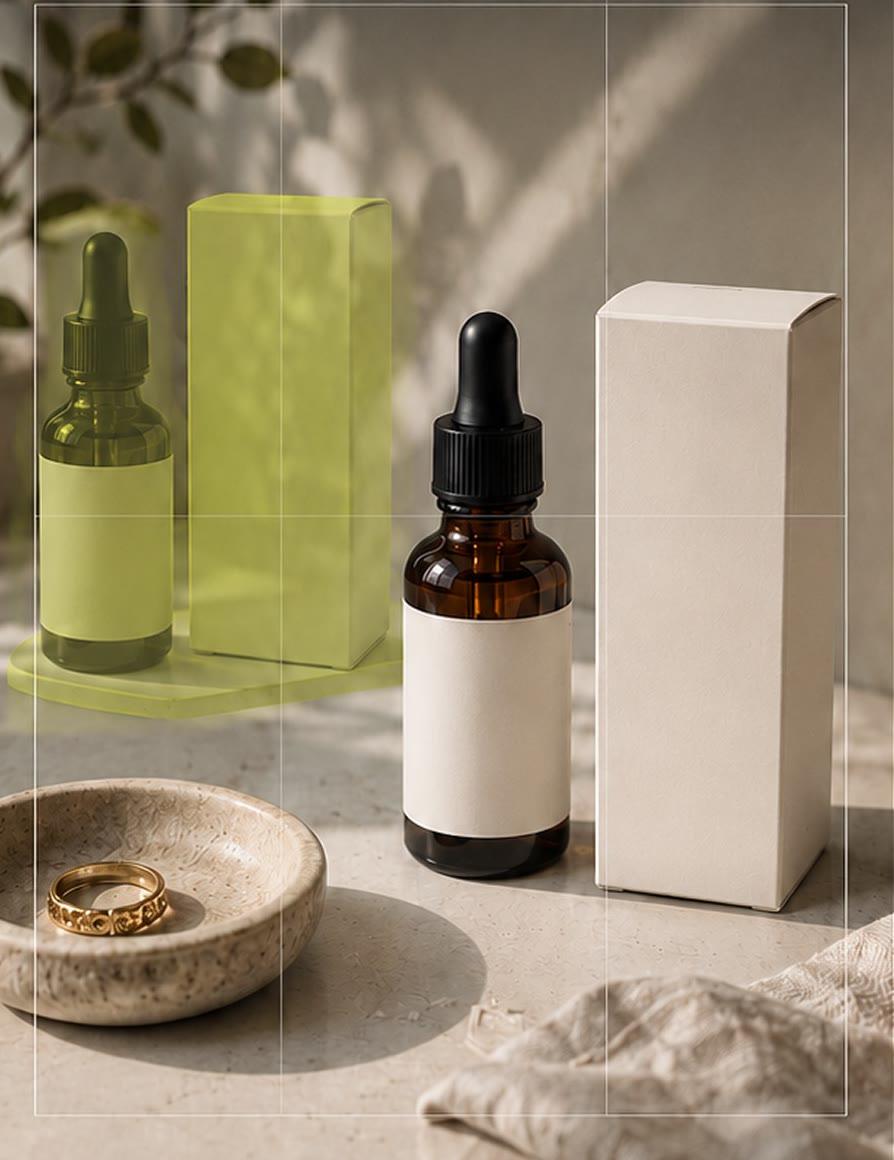
Product photos look professional when every item sits in the same place, at the same angle and size. MatchFrame lets you use one reference shot as a ghost overlay for the whole set, so every product lines up with the last one: a catalog, a listing update or the before and after of a repair.
Why these shots usually don't line up
When products are shot over several days, the camera height, distance and angle drift. On a shop page or grid the result looks uneven: items jump in size and position from one photo to the next.
How to shoot it with MatchFrame
- 1
Shoot one reference
Set up the product the way you want every photo to look and shoot it with the product guide on.
- 2
Pin it
Pin the reference so it stays the ghost for every product in the project instead of the latest shot.
- 3
Swap products and shoot
Place each item inside the outline and capture. Zoom lock (Pro) keeps the zoom from drifting.
- 4
Export consistently
Export in the same format every time, or use a grid layout to check the set.
Tips
- Mark the product's position on the table with a small piece of tape if it isn't obvious.
- Use the same daylight or the same lamp for the whole set.
- Square 1:1 works for most marketplaces; 4:5 works for Instagram.
- For repairs and restorations, the same method makes a clear before/after.
Export it
Use a 1:1 square for marketplace listings and a grid layout to review the whole set side by side.
Export layoutsQuestions
How do I keep product photos consistent on a phone?
Keep the phone at the same height and distance and the product in the same spot. A pinned reference shot as a ghost overlay makes this quick for every item.
Can I use one reference for many products?
Yes. Pin the reference image and it stays the overlay for every shot in the project.
Features used
- Ghost overlay cameraMatchFrame shows your last photo or clip as a ghost on the live camera, so each shot matches its angle, distance and pose. Free on iPhone and Android.
- Export layoutsTurn aligned shots into a ready-to-post before/after: side by side, slideshow, GIF or grid, in 9:16, 4:5, 1:1 or 16:9, with labels, dates and your own text.
- Before/after compareCompare any two shots in a MatchFrame project with a slider or side by side. They were aligned with the ghost overlay, so the difference you see is real.
Other use cases
- Fitness progress photosTake gym and weight-loss progress pictures from the same spot, height and pose every time. Last week's photo as a ghost overlay replaces tape on the floor.
- Skincare before and afterSmall skin changes only show when light, angle and distance match. Use your last close-up as a ghost overlay to document a routine consistently.
- Hair growth progress photosTrack hairline, crown or length with photos taken from the same angle and distance. A ghost overlay of the last photo keeps every session comparable.
- Room makeover before and afterShoot your renovation, decor or declutter project from the exact same corner. The before photo as a ghost overlay lines up walls, windows and furniture.
- Outfit transition videosFilm outfit changes for TikTok and Reels with the last clip as a ghost overlay, so your pose, position and framing match at the cut. Merge clips in the app.
- Dance videos for TikTokFilm TikTok dance videos and transitions on one phone: the last clip's end pose as a ghost overlay. Merge your takes or play 4 at once in a grid video.
Take your reference shot today.
Free on iPhone and Android. No account needed.