
Progress photos
How to take progress photos that show real change
A practical setup for consistent progress photos: spot, light, height, distance, pose and timing, plus how to keep it identical week after week.
By Ahmet KütükUpdated 6 min read
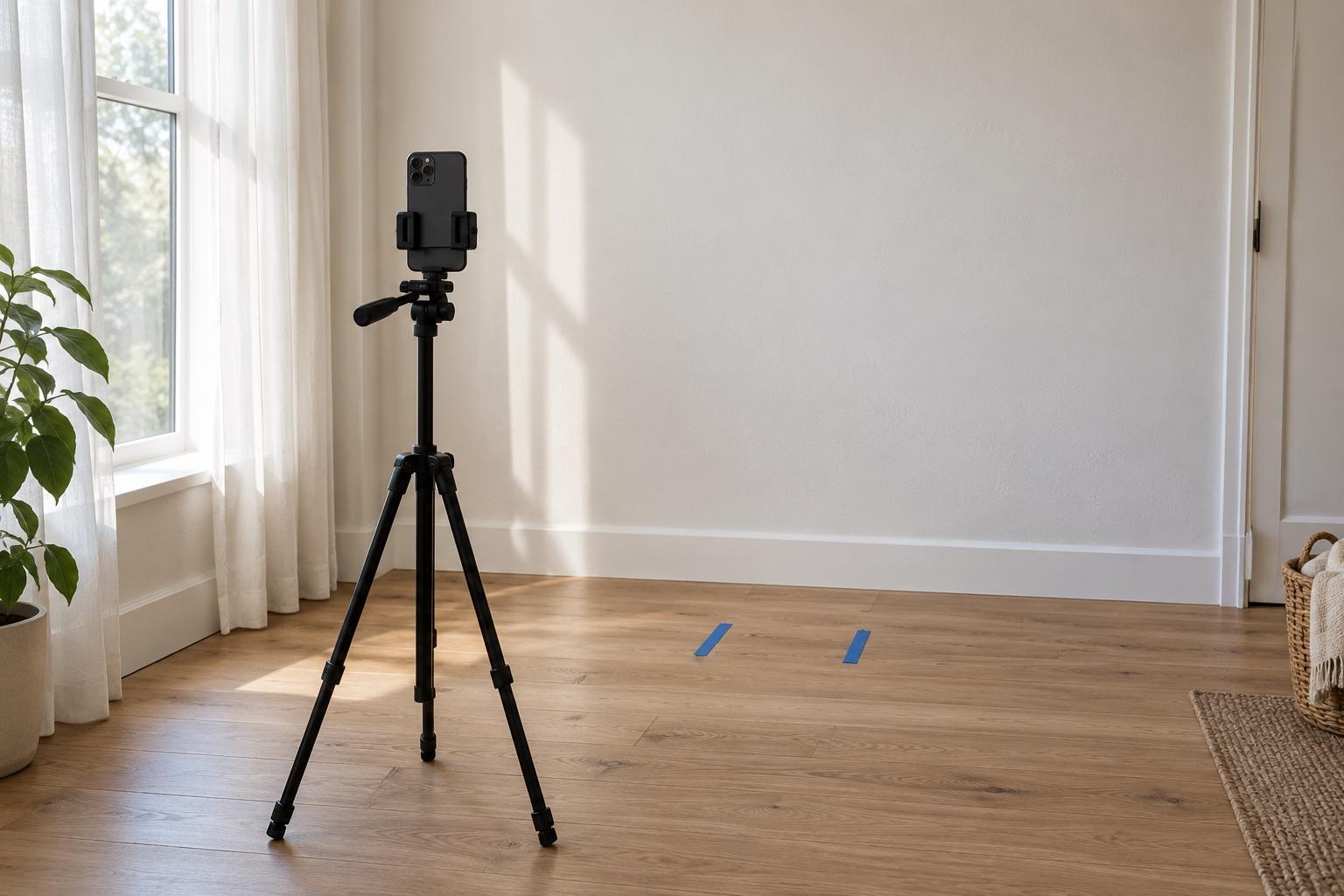
To take progress photos that show real change, keep five things identical every time: the spot, the light, the camera height, the distance and your pose. Prop the phone on a stand at chest height, face soft window light, use the timer, and shoot front, side and back every one or two weeks.
Progress photos usually go wrong because something besides you changed: the phone moved, the light came from a different window, or you stood half a step closer. Those differences are often bigger than a month of real progress, so the comparison ends up showing the camera instead of you.
What fixes it is a setup you can repeat every week.
What makes progress photos comparable?
Two photos are comparable when the only thing that differs is the subject. In practice that means controlling five variables:
| Variable | Why it matters | Keep it fixed by |
|---|---|---|
| Spot | A different wall or room changes light and scale | Using the same plain wall every time |
| Light | Overhead or side light deepens shadows and changes shape | Facing the same window at the same time of day |
| Camera height | A lower phone makes legs longer and the torso shorter | A shelf, stand or stack of books at chest height |
| Distance | Closer looks bigger, especially with wide phone lenses | The same floor position, or an overlay of last week's photo |
| Pose | Flexed vs relaxed, breathing in vs out | One neutral pose you repeat on purpose |
If you can only fix one, fix the camera position. Light and pose drift a little; a moved camera ruins the comparison.
Set up your spot once
Pick a spot you'll still have in three months. A plain wall with nothing behind you is ideal, because clutter pulls the eye and makes alignment harder.
- Light: face a window with soft daylight. Avoid direct sun, the ceiling light and flash. If you shoot in the evening, use the same lamp every time.
- Camera: prop the phone at chest height, vertical, pointing straight at you, not tilted up or down.
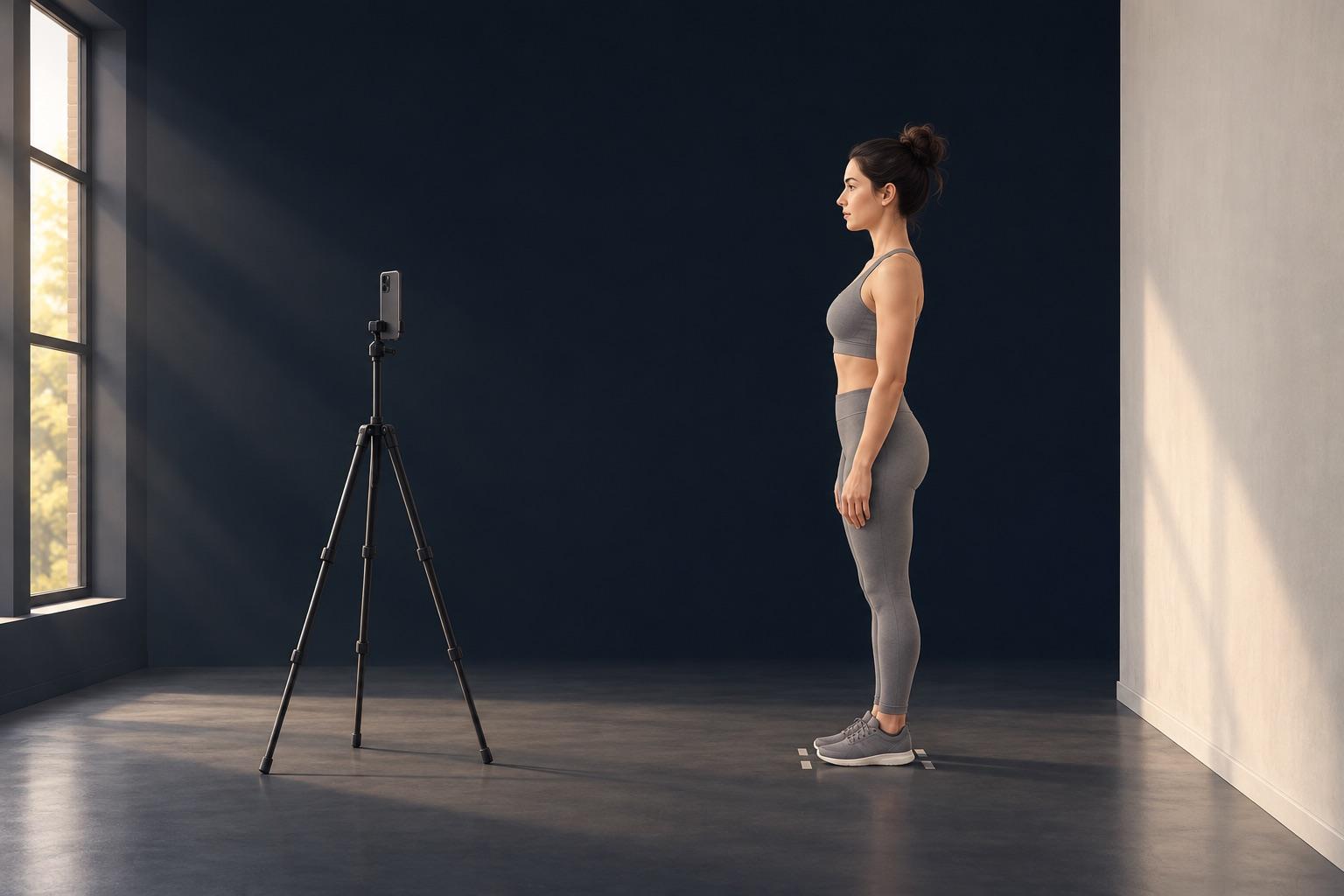
- Distance: stand far enough back that you fit head to toe with a little space above and below.
- Mark it: most guides suggest tape on the floor for your feet and for the phone stand. It helps, but it only fixes where your feet are, not the angle of the phone.
Which angles should you shoot?
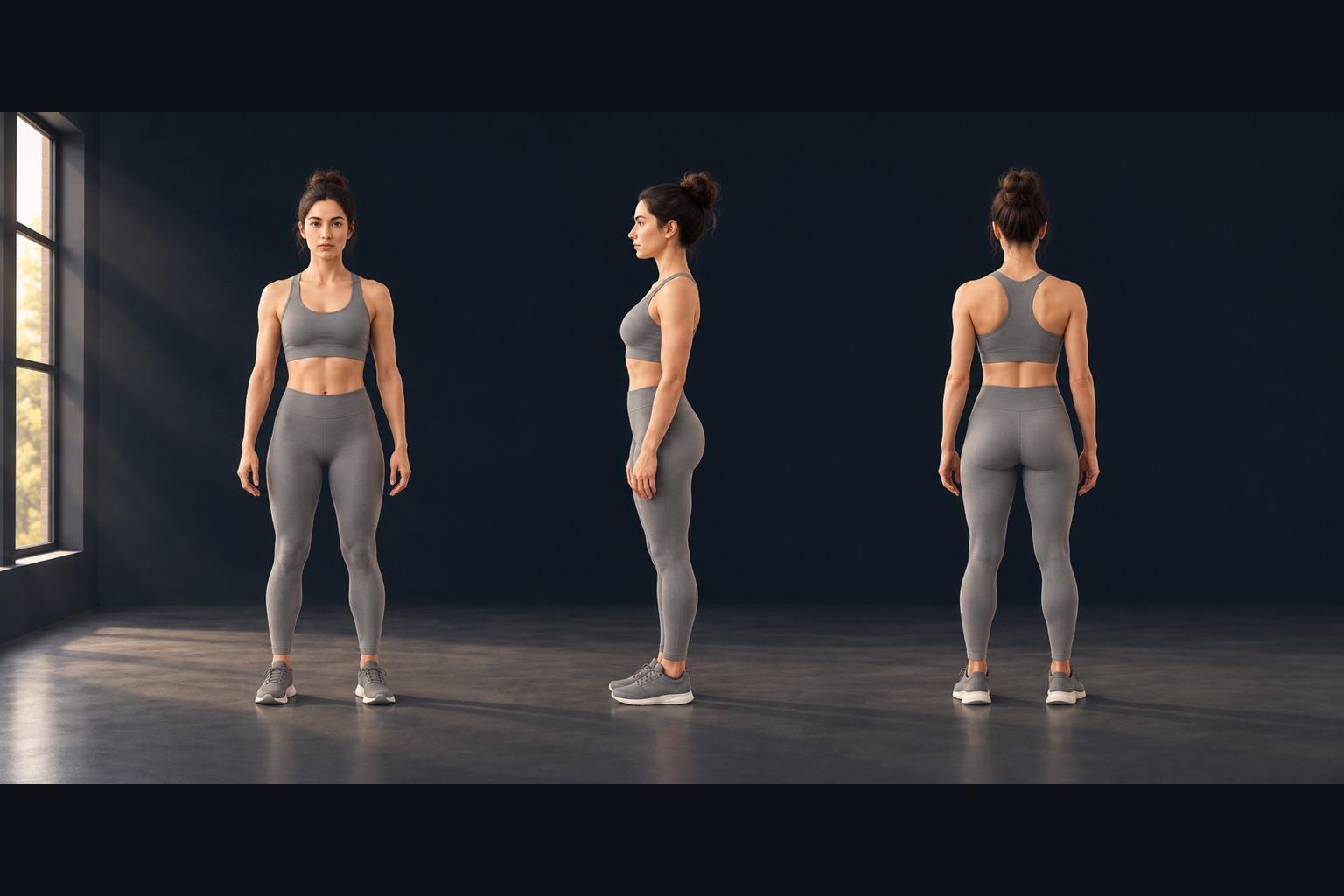
Shoot three: front, side and back. Front shows width and posture, side shows depth (waist, chest, glutes), and back shows shoulders and the lower back. Use the same side every time.
Keep the pose neutral: feet hip-width apart, arms slightly away from the body, relaxed stomach, eyes forward. If you also want a flexed set, shoot it separately and compare flexed with flexed.
How often should you take progress photos?
Every one to two weeks works for most people. Daily or every-other-day photos change too little to see, and more sessions mean more chances for the setup to drift. A good rhythm is the same day and time each week, before eating, in the same clothes.
Use last week's photo as a guide
This is the step that makes the biggest difference. Instead of remembering where you stood, put last week's photo on the camera as a see-through layer and step into your own outline.
That's what a ghost overlay does: the previous shot sits over the live camera at about 35% opacity, so you can see both. Line up your feet, shoulders and head with the ghost, then shoot. Distance, height and angle come out the same without tape or guesswork.
The MatchFrame ghost overlay camera does this for photos and short clips, and it warns you when the time of day is different from your reference, because a change in light alone can make the same pose look different.
Take your reference shot today.
Free on iPhone and Android. No account needed.
Clothing and timing
- Wear the same fitted clothes in every session; loose clothing hides shape changes.
- Shoot at the same time of day and in the same state (for example, in the morning before breakfast). Food, water and pump change how you look within hours.
- Keep beauty filters, portrait mode and HDR effects off.
How to compare and share your progress photos
Compare the oldest photo with the newest, not just this week with last week. Small weekly differences add up to something visible over two or three months.
A side-by-side or a slider works best for comparing; for sharing, a 4:5 side-by-side suits the feed and a 9:16 version suits Stories and Reels. There's more on choosing between them in side by side, slider or GIF.
Common mistakes
- Mirror selfies. The phone's angle changes with every shot, and the phone covers part of you.
- Changing the zoom. Switching between 0.5× and 1× changes proportions. Stay on one lens.
- Editing one photo and not the other. If you adjust brightness, apply the same edit to both.
- Judging after a week. Look at four-week or eight-week gaps.
A note on what photos can and can't tell you
Progress photos are a record, not a measurement. They're good at showing changes in shape and posture over time, but they can't tell you body fat, weight or health. For those, talk to a qualified professional.